SKILL GAMES
Showing 65-96 of 178 games. Page 3 of 6.









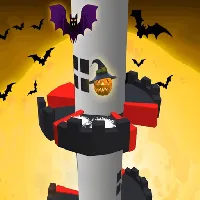


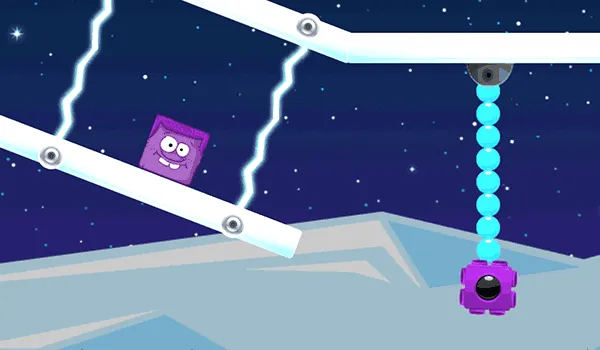
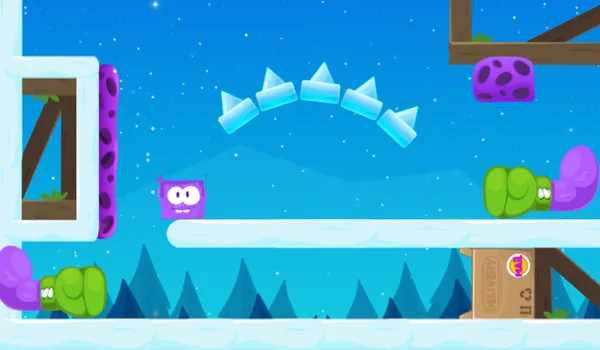










Skill games are a genre that emphasizes players’ dexterity, timing, and strategic thinking, requiring them to hone their abilities to achieve success in various challenges. These games often involve mechanics that test reflexes, hand-eye coordination, and problem-solving skills, featuring a wide range of formats from platformers and puzzle games to sports and arcade-style challenges. Popular titles like Fruit Ninja, Cut the Rope, and Super Meat Boy exemplify the focus on mastering gameplay mechanics to overcome obstacles and achieve high scores. Skill games are designed to be engaging and rewarding, encouraging players to improve their performance through practice and precision. Their competitive nature and straightforward objectives make them appealing to a broad audience, providing fun and addictive experiences that can be enjoyed in short bursts or extended play sessions.
skill
At Unblocked Games for School we understand that developing a solid skill set while having fun is essential for students and casual gamers alike. Our platform offers a curated collection of browser‑based games that let you sharpen reflexes, strategic thinking, and problem‑solving abilities during a quick break or a longer study session. Below you will find a comprehensive guide that explains how to choose the right games, how to track progress, and how to turn short play periods into meaningful learning moments.
Why a Skill‑Focused Approach Matters
When you engage with games that require specific skills, you are not only entertained—you are also training cognitive functions that support academic performance. Fast decision‑making, pattern recognition, and spatial awareness are just a few of the abilities that improve with consistent practice. By selecting games that target these areas, you can enjoy a balanced mix of relaxation and personal development.
Choosing the Right Games for Skill Development
Our library is organized into categories that make it easy to find titles aligned with your learning goals. Consider the following criteria when picking a game:
- Core mechanic focus: Identify whether the game emphasizes speed, strategy, logic, or coordination.
- Difficulty curve: Start with beginner‑friendly levels and gradually progress to more challenging stages.
- Session length: Choose games that fit the amount of time you have available—quick puzzles for five‑minute breaks or longer adventures for after‑school hours.
- Feedback system: Games that provide clear performance metrics help you monitor improvement over time.
Practical Tips for Maximizing Your Skill Gains
Below is a step‑by‑step framework that students can follow to turn casual gaming into a structured skill‑building routine:
1. Set a Clear Objective
Before you start, decide which ability you want to improve. For example, “increase my reaction time in platformers” or “enhance my logical reasoning with puzzle games.” Writing the goal down makes it tangible and easier to track.
2. Allocate a Consistent Time Slot
Even a 10‑minute daily session can produce noticeable progress if practiced regularly. Mark the time in your school planner or set a reminder on your phone.
3. Warm‑Up with a Simple Challenge
Begin each session with a low‑intensity level to activate your brain and reduce the risk of frustration. This warm‑up also serves as a quick self‑assessment of your current state.
4. Focus on One Skill per Session
Multi‑tasking can dilute the benefits. If you are working on pattern recognition, choose a game that isolates that element rather than a title that mixes shooting, puzzle, and racing mechanics.
5. Review Performance Metrics
Most games on our site display scores, completion times, or accuracy percentages. Record these numbers in a simple spreadsheet or journal. Look for trends—are you getting faster? More accurate?
6. Adjust Difficulty Gradually
When you consistently achieve a high success rate, increase the difficulty level. This keeps the challenge optimal and prevents plateauing.
7. Reflect and Celebrate Milestones
After a week of consistent practice, take a moment to acknowledge improvements. Celebrate with a short break or share your achievement with friends.
Top Game Recommendations for Specific Skills
Below is a curated selection of games from our collection, grouped by the primary skill they develop. Each description includes the key learning outcome, typical session length, and why the title is suitable for school environments.
Reaction Time & Hand‑Eye Coordination
- “Speed Runner” – A fast‑paced platformer that demands precise jumps and split‑second timing. Ideal for 5‑minute bursts.
- “Laser Dodge” – A top‑down shooter where you must evade incoming beams. The game’s simple controls make it perfect for quick practice.
- “Bounce Blitz” – A physics‑based puzzle where you guide a bouncing ball through obstacles. Enhances timing and spatial awareness.
Strategic Planning & Decision Making
- “Tower Tactician” – A tower‑defense game that requires you to place defenses strategically based on enemy patterns.
- “Chess Mini” – A streamlined version of chess with timed moves, encouraging rapid yet thoughtful planning.
- “Empire Builder” – A resource‑management simulation where you balance expansion and defense, sharpening long‑term strategic thinking.
Logical Reasoning & Problem Solving
- “Puzzle Matrix” – A series of increasingly complex logic puzzles that test deduction and pattern identification.
- “Circuit Connect” – An interactive wiring game that teaches basic circuit logic while challenging your problem‑solving skills.
- “Number Ninja” – A math‑based challenge where you must reach target numbers using limited operations, reinforcing arithmetic fluency.
Integrating Skill‑Based Gaming into Your School Day
Many students worry that gaming might interfere with studies. By treating these games as short, purposeful breaks, you can actually boost concentration and retention. Here are practical ways to fit skill‑focused gaming into a typical school schedule:
- During Homeroom or Lunch: Use a spare computer or tablet for a 10‑minute session.
- After Homework: Reward yourself with a quick game that reinforces a skill you just used in class.
- Study Group Sessions: Incorporate a collaborative puzzle challenge to build teamwork while exercising logical thinking.
Tracking Your Progress Over Time
Consistent documentation is the cornerstone of improvement. We recommend the following simple tracking system:
- Create a table with columns for Date, Game Title, Skill Focus, Score/Time, and Notes.
- Enter data after each session. Note any distractions or changes in mood that might have affected performance.
- Review the table weekly. Look for upward trends and identify any skill areas that need extra attention.
Over a month, you will be able to visualize growth, set new targets, and stay motivated.
Safety and Accessibility Considerations
All games hosted on our platform are browser‑based, require no downloads, and are compatible with school computers that have standard security settings. We prioritize:
- Ad‑free experience: No pop‑ups or redirects that disrupt focus.
- Low bandwidth usage: Games load quickly even on limited school internet connections.
- Inclusive design: Options for color‑blind mode, adjustable difficulty, and keyboard‑only controls.
Community and Support
We encourage you to share your achievements with classmates. Our comment sections allow you to discuss strategies, ask for tips, and celebrate milestones together. If you encounter any technical issues, our support page provides quick troubleshooting steps and a contact form for further assistance.
FAQ
What types of skills can I improve with these games?
Our collection targets reaction time, hand‑eye coordination, strategic planning, logical reasoning, and basic math skills.
Are the games safe to play on school computers?
Yes, all titles are HTML5‑based, run directly in the browser, and do not require additional installations or plugins.
How long should I play each day to see improvement?
Even 10‑15 minutes of focused practice daily is enough to notice gradual progress over a few weeks.
Can I track my scores across different devices?
While we do not offer a cloud‑save feature, you can manually record your results in a spreadsheet that you access from any device.
Is there a way to challenge friends?
Many games include leaderboards where you can compare scores with classmates, fostering friendly competition.
Internal links: Search, Games, Latest Releases, Trending, Unblocked Games