RUNNING GAMES
Showing 1-32 of 83 games. Page 1 of 3.

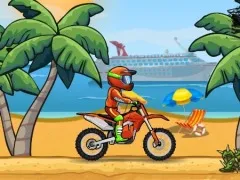
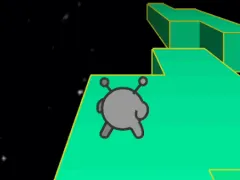

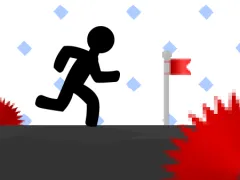

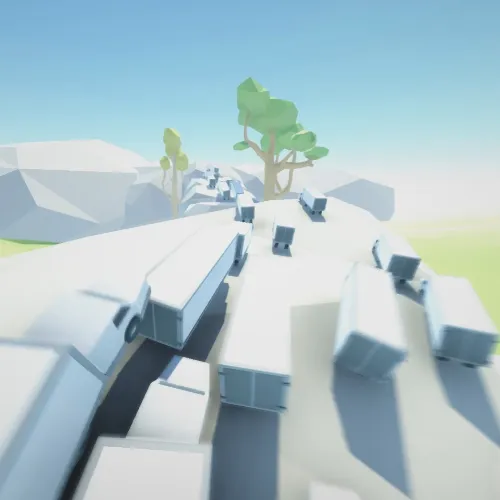





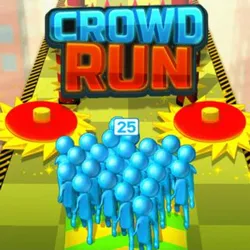





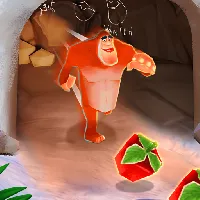




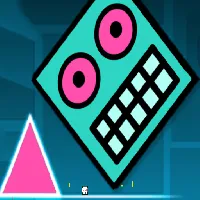




Running games are a fast-paced genre focused on continuous movement, where players must navigate characters through obstacle-filled environments, often with the goal of surviving as long as possible. These games typically feature simple controls—usually just jumping, sliding, or dodging—while the character automatically runs forward. Popular titles like Temple Run, Subway Surfers, and Canabalt emphasize quick reflexes, timing, and precision as players dodge obstacles, collect power-ups, and earn points. Running games are known for their addictive gameplay loops, offering endless challenges as players try to beat their high scores or achieve objectives. Their easy-to-learn mechanics and progressively difficult levels make them appealing for short, engaging sessions, perfect for casual gamers on the go.
running
Welcome to our comprehensive guide on running—the perfect blend of fun, fitness, and quick‑play excitement for students and everyday players who need a burst of energy during a study break or a short recess. In this article we explore everything from the basics of browser‑based running games to strategies that keep you ahead of the pack, all while staying within the safe, school‑friendly environment offered by Unblocked Games for School. Whether you are new to the genre or looking to sharpen your skills, our step‑by‑step advice will help you make the most of every run.
Why Running Games Are Ideal for a School Break
Running games are lightweight, require no downloads, and load instantly in any modern browser. This means you can jump from a math worksheet to a high‑octane sprint in seconds, without triggering school network restrictions. The simple controls—usually just arrow keys or a single tap—allow you to focus on the thrill of the chase rather than complex button combinations. Moreover, most titles are designed with short rounds that fit neatly into a 5‑ to 10‑minute window, giving you a quick mental reset without sacrificing academic responsibilities.
Choosing the Right Running Game
Our platform hosts a wide variety of running‑related titles, each with its own flavor. Here are the main categories to consider:
- Endless Runners: Keep moving forward forever while dodging obstacles. Great for building stamina and reaction time.
- Obstacle Courses: Levels are designed with specific challenges—jumps, slides, and puzzles—that test timing and precision.
- Story‑Driven Runs: Follow a narrative while sprinting through themed worlds, adding depth to the gameplay.
- Multiplayer Races: Compete against classmates in real time, fostering friendly competition.
When selecting a game, check the loading time, control simplicity, and whether the visual style matches your personal taste. A well‑chosen game can turn a brief pause into a memorable highlight of your day.
Essential Controls and Settings
Most browser‑based running games rely on a handful of universal inputs. Below is a quick reference you can keep handy:
| Action | Typical Key/Touch |
|---|---|
| Jump | Spacebar or Up Arrow (or tap on screen) |
| Slide/Duck | Down Arrow (or swipe down) |
| Boost | Shift or double‑tap |
| Pause | Esc or P |
Most games also allow you to adjust sound volume, toggle fullscreen mode, and enable or disable visual effects. Reducing visual clutter can improve performance on older school computers, ensuring a smooth experience.
Mastering the Basics: Tips for New Runners
Even the simplest run can feel overwhelming at first. Follow these proven techniques to build confidence quickly:
- Start Slow: Use the first few seconds to memorize the pattern of obstacles. Most games repeat a basic rhythm before increasing difficulty.
- Maintain a Consistent Rhythm: Timing your jumps and slides to the beat of the background music often leads to fewer mistakes.
- Watch the Horizon: Anticipate upcoming hurdles by glancing slightly ahead of your character; this gives you a split‑second advantage.
- Use Boosts Wisely: Save speed boosts for sections with dense obstacle clusters where a quick burst can help you clear multiple hazards at once.
- Practice Pause‑Resume: If you need to answer a quick question or attend to a class task, pause the game to avoid losing progress.
Advanced Strategies for Competitive Players
Once you feel comfortable with the fundamentals, you can adopt more sophisticated tactics that separate casual runners from high‑scorers.
Pattern Recognition
Many endless runners use a limited set of obstacle combinations that repeat in predictable cycles. By learning these cycles you can pre‑emptively position your character, reducing reaction time to near‑zero.
Momentum Management
Speed is a double‑edged sword. While higher velocity yields larger scores, it also reduces the window for error correction. Practice toggling between normal and boosted speeds to keep your momentum under control during dense sections.
Power‑Up Prioritization
Games often scatter power‑ups such as shields, magnets, or extra lives throughout the track. Identify which power‑up aligns with your current weakness—if you struggle with timing jumps, a shield may give you the breathing room needed to recover.
Level‑Specific Strategies
Story‑driven runs may feature unique mechanics—like gravity flips or water sections. Study each level’s tutorial segment, then replay the level focusing on the new mechanic until it becomes second nature.
Multiplayer Edge
In races against peers, positioning is crucial. Aim to stay just behind the leader; this allows you to copy their path while preserving a chance to overtake on the final sprint. Communicate via in‑game chat if available, as coordinated teamwork can secure group victories.
Staying Safe and Respectful While Gaming at School
Our priority is to ensure that entertainment does not interfere with learning. Follow these guidelines to keep your gaming sessions responsible:
- Limit Playtime: Stick to short bursts—typically 5‑10 minutes—so you can return to coursework promptly.
- Use Headphones: Prevent distractions for classmates and stay within school policy regarding sound.
- Check Network Policies: Our games are hosted on a school‑friendly domain, but always verify that your institution permits browser gaming during break periods.
- Save Progress When Possible: Some titles offer cloud saves or local cookies; use them to resume where you left off without starting over.
How to Access More Running Games Quickly
Our site organizes titles into clear categories, making it easy to discover new challenges. Use the navigation bar to explore the Latest releases, the most Trending selections, or search for a specific theme such as “parkour” or “sci‑fi sprint.” Each game page includes a brief description, control guide, and user ratings to help you decide which title fits your mood.
Community and Feedback
We value the input of our player community. After finishing a run, consider leaving a rating or comment. Your feedback helps us highlight the most enjoyable experiences and remove any titles that may cause technical issues. Additionally, joining our forum allows you to exchange tips, share high scores, and discover secret shortcuts that only seasoned runners know.
FAQ
What browsers are supported for running games?
All modern browsers—including Chrome, Edge, Firefox, and Safari—are fully compatible. We recommend using the latest version for optimal performance.
Do I need to create an account to play?
No account is required. Games load instantly, and progress can be stored locally if the title offers that feature.
Can I play these games on a mobile device?
Yes, most running games are responsive and work on smartphones and tablets. Touch controls replace keyboard inputs for a seamless experience.
How do I report a game that isn’t loading?
Use the “Report Issue” button located at the bottom of the game page. Provide a brief description and we will investigate promptly.
Are there any age restrictions?
All games on our platform are rated suitable for students aged 8 and up. Parents can review individual game descriptions for additional guidance.
Internal links: /search.html, /game/, /category/latest.html, /category/trending.html, /unblocked-games/