.IO GAMES
8 games in total.


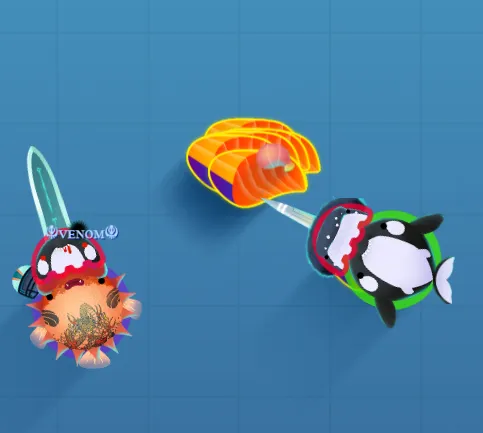





.io games are a genre of online multiplayer games characterized by their simple mechanics, minimalist graphics, and addictive gameplay, often allowing players to jump in and start playing immediately in a web browser. Originating from games like Agar.io and Slither.io, these games typically involve competing against other players in real-time to grow larger or achieve specific goals, such as consuming items or opponents while avoiding being eaten themselves. With their emphasis on quick reflexes and strategic thinking, .io games often feature straightforward controls and mechanics that make them accessible to a wide audience. The competitive nature of .io games, combined with their ability to support numerous players simultaneously, creates a dynamic gaming experience where each match is unique and fast-paced, making them incredibly popular for casual gaming sessions.
io
Welcome to the ultimate guide for io games—fast‑paced, browser‑based challenges that fit perfectly into a school break, a quick lunch hour, or any moment when you need a burst of fun without downloading anything. We have gathered everything you need to understand, play, and master the most popular io titles, from classic multiplayer arenas to the newest experimental variations. Our aim is to make every session enjoyable, social, and stress‑free, so you can focus on the game and the friends you meet along the way.
What Are io Games?
Io games are lightweight, real‑time multiplayer experiences that run directly in your web browser. They typically feature simple graphics, intuitive controls, and a competitive core that pits you against dozens or even hundreds of other players worldwide. Because they are hosted on lightweight servers and require only an internet connection, they load in seconds and run smoothly on most school computers, tablets, or even smartphones.
Why io Games Are Perfect for Students
- Instant access: No installations, no updates—just click and play.
- Short sessions: Most matches last between 5 and 10 minutes, fitting neatly into a class break.
- Social interaction: Compete with classmates or strangers, develop quick strategies, and enjoy lighthearted rivalry.
- Skill development: Reflexes, strategic thinking, and hand‑eye coordination improve with each round.
- Safe environment: Most io games are hosted on reputable platforms that filter inappropriate content.
Getting Started: How to Play io Games Without Hassle
To begin, follow these simple steps. We have designed the process to be as straightforward as possible, ensuring that you spend more time playing and less time troubleshooting.
1. Choose a Reliable Browser
Modern browsers such as Chrome, Firefox, Edge, or Safari are optimized for HTML5 and WebGL, the technologies that power io games. Ensure your browser is up to date for the best performance.
2. Verify Your Internet Connection
A stable connection with at least 3 Mbps download speed is sufficient for most titles. If you experience lag, try moving closer to the Wi‑Fi router or using a wired Ethernet connection if available.
3. Select a Game
Browse our curated collection and click the thumbnail of the game that catches your eye. Each game opens in a new tab, preserving your current browsing session.
4. Adjust Settings (Optional)
Most games offer basic options such as nickname, color, or control sensitivity. Set a nickname that reflects your personality, but avoid sharing personal information.
5. Dive Into the Action
Press the “Play” button, wait a few seconds for the lobby to fill, and then the match begins. Remember, the goal is usually to grow, survive, or dominate the arena—focus on the objective and enjoy the competition.
Top io Games You Should Try Today
Below is a hand‑picked selection of the most engaging io titles, each described with key features, gameplay tips, and why it resonates with students.
Agar.io – The Classic Cell‑Eater
Control a small cell, absorb smaller pellets, and swallow other players to become the biggest organism on the map. Tip: Stay near the edges to avoid being cornered, and use “split” strategically to surprise larger opponents.
Slither.io – Snake Meets Multiplayer
Navigate a colorful snake, collect glowing orbs, and grow longer while avoiding collisions with other snakes. Tip: Circle smaller snakes to trap them, and use sudden turns to escape tight situations.
Krunker.io – Fast‑Paced First‑Person Shooter
Pick a class, aim with precision, and dominate the pixelated arena. Tip: Master one weapon at a time, learn map choke points, and practice recoil control for consistent hits.
Paper.io – Claim Your Territory
Draw lines to expand your colored area while preventing opponents from cutting you off. Tip: Keep your line short and retreat quickly if an enemy approaches your trail.
ZombsRoyale.io – Battle‑Royale in Miniature
Drop onto a shrinking map, loot weapons, and survive until the last player remains. Tip: Land near the center for early loot, but be ready to move as the safe zone contracts.
Practical Guidance for Better Performance
Even though io games are lightweight, a few adjustments can significantly improve your experience.
Optimize Graphics Settings
Most games allow you to toggle between high and low graphics modes. If you notice frame drops, switch to the low‑graphics option. This reduces the load on your device’s GPU and keeps the action smooth.
Use Keyboard Shortcuts
Learning the default shortcuts—such as “WASD” for movement, “Space” for boost, and “Shift” for sprint—will shave seconds off your reaction time. Many games also support custom key bindings for a personalized setup.
Manage Audio Levels
Background music can be motivating, but loud sound effects may be distracting in a classroom. Adjust the volume to a comfortable level or mute the game if you need to focus on the surrounding environment.
Stay Healthy While Gaming
Take a short stretch break every 15‑20 minutes. This reduces eye strain, improves posture, and keeps your mind fresh for the next round.
Community and Social Features
Most io platforms incorporate chat boxes, leaderboards, and friend lists. We recommend using these features responsibly:
- Chat responsibly: Keep language friendly and avoid sharing personal details.
- Respect rankings: Leaderboards reflect skill, not personal worth. Celebrate achievements and learn from defeats.
- Form teams: Some games allow you to create squads or alliances, fostering cooperation and strategic depth.
Safety Tips for School Environments
While io games are generally safe, it is important to follow a few best practices to ensure a secure gaming experience on school networks.
- Only play on trusted sites such as Unblocked Games for School.
- Do not click on pop‑up ads that promise free in‑game items; they often lead to unwanted redirects.
- Keep your nickname anonymous and avoid using your real name or school ID.
- Report any inappropriate behavior through the game’s built‑in reporting tools.
How to Keep Up With New io Releases
Our platform regularly updates the catalog with fresh titles. To stay informed:
- Bookmark the Latest and Trending sections of the site.
- Subscribe to the newsletter for monthly highlights.
- Follow our social channels where we announce upcoming releases and community events.
Frequently Updated Content
We understand that variety keeps the experience exciting. That’s why we rotate featured games weekly, introduce seasonal skins, and host mini‑tournaments that encourage friendly competition among students.
FAQ
What devices can I use to play io games?
Any device with a modern web browser—desktop computers, laptops, tablets, and smartphones—can run io games smoothly.
Do I need to create an account?
Most games allow guest play with a temporary nickname. Creating an account is optional and only needed if you want to save stats or join a friend list.
Are there any age restrictions?
While the games are generally appropriate for all ages, some titles contain mild cartoon violence. We recommend parental guidance for younger children.
Can I play with my classmates privately?
Yes, many games offer private rooms or invite links that let you play exclusively with friends or classmates.
What should I do if I experience lag?
First, check your internet speed and close any unnecessary tabs. If lag persists, switch to a lower graphics setting or try a different browser.
Internal links
Explore more content on our site: Search, Game, Latest, Trending, Unblocked Games.